How to delete Lockedin account?
The Delete Account feature allows users to permanently remove their LockedIn account and associated personal data from the system.
When a user chooses to delete their account, all personal information stored on LockedIn servers will be permanently erased. LockedIn cannot restore the account or recover user funds after deletion.
How Users Can Delete Their Account:
Users can delete their LockedIn account directly inside the mobile app.
Step 1: Access Profile

On the Home screen, tap the profile picture located at the top-left corner to open the Profile page.
Step 2: Go to Settings

On the Profile page, tap the Settings icon (top-right corner).
Step 3: Navigate to Delete Account

Inside Settings: Select “Legal and Privacy.” -> Tap “Delete Account.”

Step 4: User Confirmation
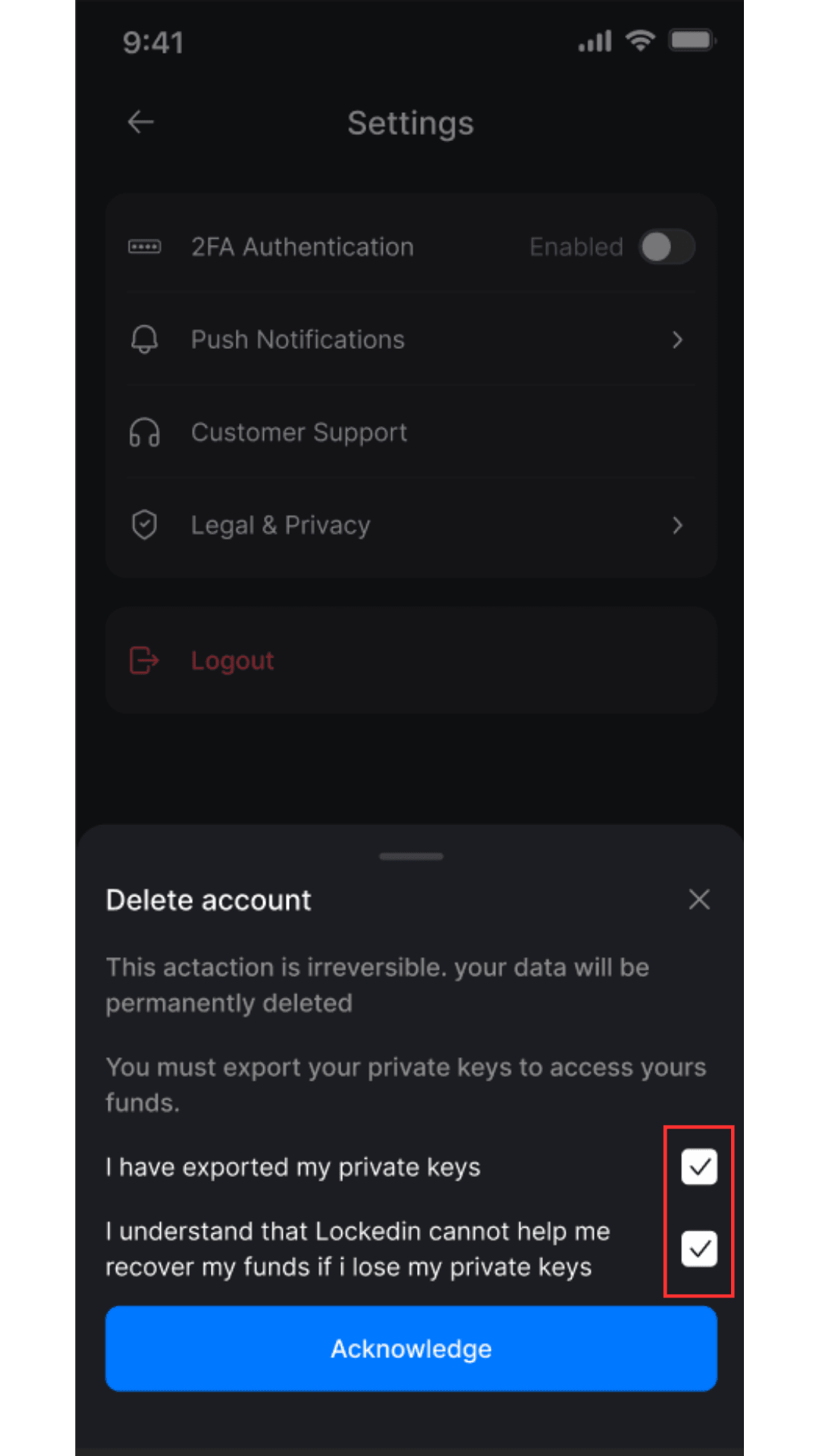
A confirmation pop-up will appear with the following warnings:
- This action is irreversible. Your data will be permanently deleted
- You must export your private keys to access your fund
To proceed, users must manually tick two confirmation checkboxes:
- “I have exported my private keys.”
- “I understand that LockedIn cannot recover my funds if I lose my private keys.”
Only after confirming these two statements can the user finalize account deletion.
Important Notes:
- Users are strongly advised to securely save their private keys before deleting their account.
- After account deletion, LockedIn cannot help recover funds if the user loses access to their private keys or wallet.
- LockedIn will process your account deletion within 30 days. Upon completion of this period, all associated data will be permanently deleted.